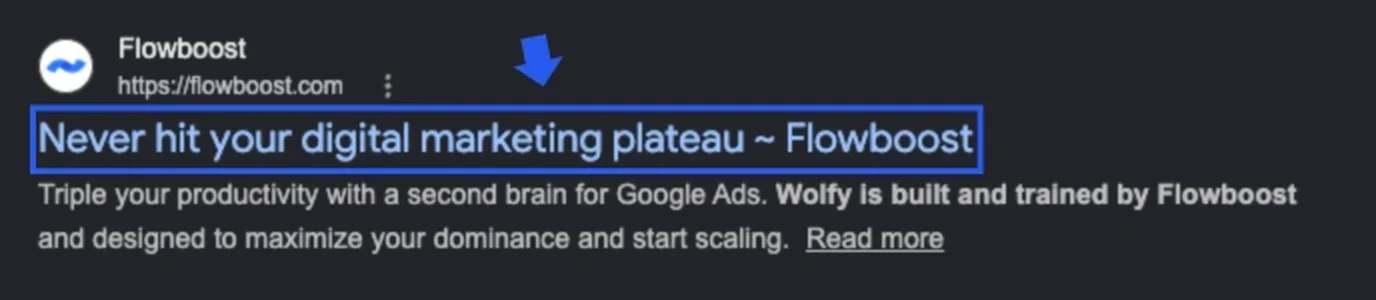
What is a title tag, and why it is your opening line The title tag is the clickable headline that appears in search results. It lives in your page’s HTML as <title>Your page title</title> and Google displays it as the blue linked text at the top of each result. It is the first thing a searcher reads about your page: before they see your URL, before they read your description, and long before they read a single word of your content.
On a dating app, you have your name and your first photo. That is the immediate first impression: the thing that decides in under two seconds whether someone stops scrolling or keeps going. Your title tag works exactly the same way. It is one line of text that determines whether a stranger decides your result is worth a click.
Here is what most people miss: the title tag’s primary job is not rankings. It is the click. You can sit on page one for a competitive keyword and lose 70% of potential visitors to a competitor with a better title. A high ranking is an opportunity. A well-written title tag is what converts that opportunity into actual traffic.
Apply this yourself
Open Google and search for the main keyword you want to rank for. Find your listing (or picture how your page would appear if it ranked). Read your title tag as a complete stranger would, someone who has never heard of your business. Is it specific enough to stand out from the nine results around it? Or does it look exactly like everything else on the page?
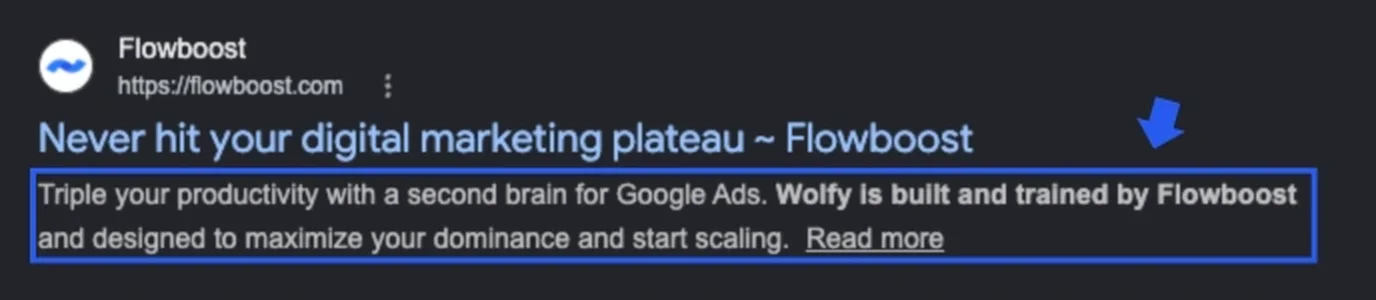
What is a meta description: your profile bio Below the title tag sits the meta description. It is the two or three lines of text that give the searcher a preview of what they will find if they click. Think of it as the bio section of the profile. The title got them to stop scrolling. The bio is what decides whether they actually click.
There is a nuance worth knowing: Google does not always show the meta description you write. If Google decides your description is not relevant enough to the search query, it will pull a snippet directly from your page’s body text instead. This is not a reason to skip writing one. For the searches where Google does use your description, a well-written one is a direct lever for clicks. And when Google rewrites it, a clear and well-structured page makes it more likely they will pull something useful rather than a random sentence.
A good meta description answers one question before the click: “Why should I read this instead of the nine other results on this page?” If yours cannot answer that question in under 155 characters, it needs a rewrite.
Apply this yourself
Type “site:yourdomain.com” into Google and look at how your pages appear in results. Are your meta descriptions showing up, or is Google pulling random text from the page? If you are not controlling the narrative, Google is writing your bio for you. It will pick whatever sentence appears first in the body text, whether that’s compelling or not.
Why CTR is the most underrated SEO lever Most people treat title tags as an afterthought: something to fill in once the content is written, as quickly as possible. But click-through rate (CTR) is one of the most direct ways to improve your organic performance without touching a single line of content or building a single new backlink .
The math is simple. If you rank in position 3 with a 3% CTR and you rewrite your title tag to earn a 6% CTR, you have doubled your organic traffic from that keyword. Same position, same page, same content. You only changed the headline. That improvement compounds across every page on your site where the same problem exists.
There is a second-order effect worth understanding. A consistently high CTR signals to Google that your result is genuinely relevant to searchers. The algorithm notices when people choose your result over the ones ranked above it. A title tag that earns clicks is not just a conversion tool. Over time it can become a ranking signal in its own right. The same principle applies in paid search: a higher click-through rate in Google Ads directly reduces your cost per click, rewarding the same clear, specific language you should be writing for your organic titles.
What makes people click (The psychology of the swipe) The same triggers that make someone swipe right on a dating profile make someone click on a search result: specificity, a clear sense of what they will get, and sometimes a hint of curiosity that can only be resolved by clicking through.
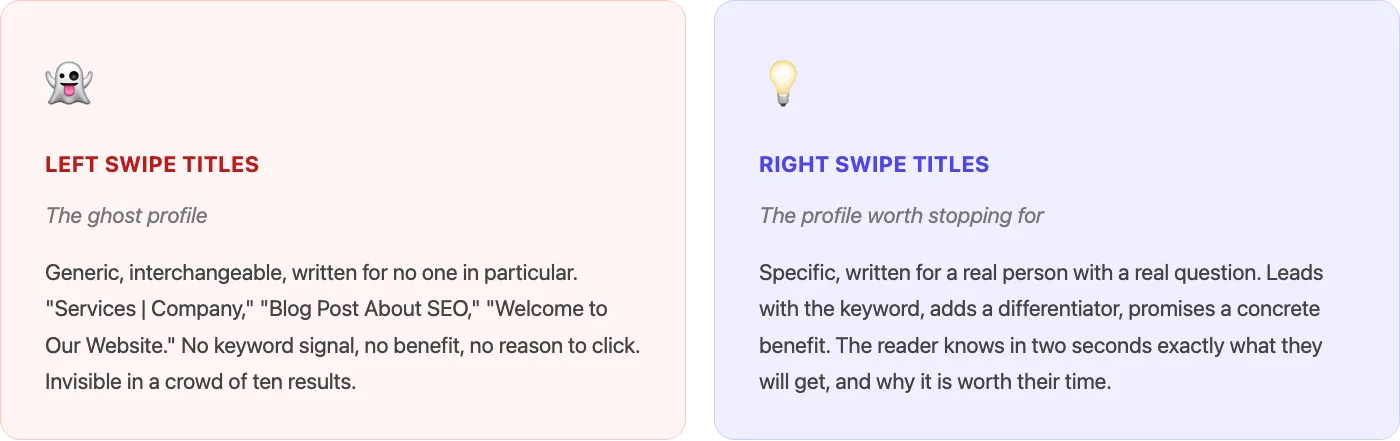
Specificity is the biggest lever. “SEO Tips” is a blurry profile photo. “7 title tag mistakes that are costing you clicks (and how to fix them in 20 minutes)” is a specific bio that tells you exactly what you are getting before you click. The more specific your title, the more clearly it signals that this result was written for the person reading it.
Numbers work because they signal real substance. “How to write title tags” competes with hundreds of other how-to articles. “How to write title tags that double your CTR (with 10 real examples)” differentiates itself through both specificity and a promised outcome.
Questions work when they match what the searcher is already thinking . If someone types “title tag seo” and your result reads “Is your title tag losing you clicks? Here’s how to find out”, you have interrupted their internal monologue at exactly the right moment.
What does not work is any version of “Home | Company Name,” “Services,” or “Welcome to [website].” These are the Tinder profiles with one blurry photo and a bio that says “I like to laugh and have fun.” Nobody is swiping right. Nobody is clicking.
Character limits: the bio has a word count too Dating apps give you a bio limit. Google gives you a character limit. Going over it does not crash anything. It just quietly truncates everything after the cutoff and replaces it with an ellipsis. Which means your strongest point, the one you saved for the end, never gets read.
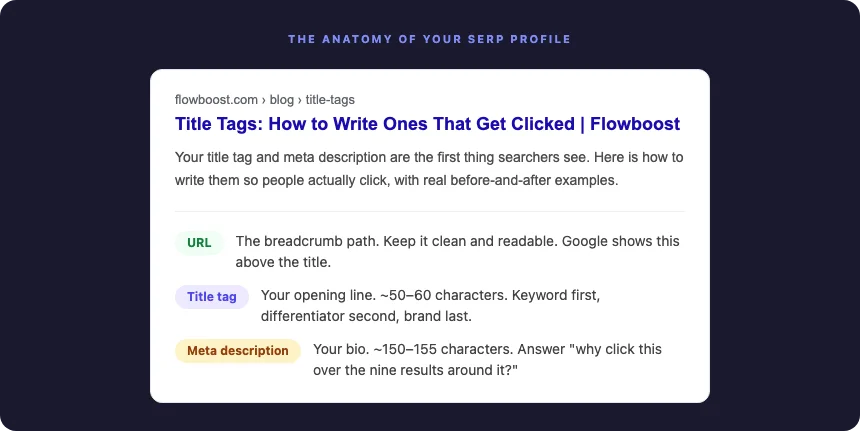
For title tags, Google typically displays around 50-60 characters before cutting off. For meta descriptions, you have around 150-155 characters to work with, about two to three short sentences. These are not rules set in stone (Google can and does vary), but they are the reliable working ranges for the vast majority of searches on desktop and mobile. Always check the maximum of characters with every medium.
The practical consequence is straightforward: information needs to front-load. Your keyword should appear early in the title. Your differentiator should land in the first half of the meta description. “The complete guide to writing title tags, meta descriptions, and SEO click-through rate optimisation for sm…” is not the first impression you want anyone to have.
One quick formatting rule
Write title tags left to right in order of importance: keyword first, qualifier second, brand last. “Title Tags: How to Write Ones That Get Clicked | Flowboost” works. “Flowboost | Our Complete and Comprehensive Guide to Writing SEO Title Tags for Websites” gets truncated before the interesting part begins.
For meta descriptions: front-load the benefit, back-load the brand. Lead with what the reader gets, not with who you are.
Apply this yourself
Paste your current title tags into a free SERP snippet preview tool and look at which ones get cut off. For every truncated title, ask: is the most compelling part still visible before the ellipsis? If your strongest word is hiding after the cut, rewrite from the left. Put the keyword and the benefit first, and save the brand name for the end
How to rewrite your title tags, step by step A title tag rewrite takes five minutes. The effect of getting it right can last for months. Here is the process, one step at a time.
Start with the primary keyword.
The phrase you most want to rank for should appear early, ideally within the first three or four words. This is both a relevance signal for Google and an attention signal for the reader, who will naturally scan for the word they just searched.
Add a qualifier that creates specificity.
What makes this page different from the nine results next to it? A number, a time frame, a specific audience, or a concrete outcome all qualify. “Title Tags” becomes “Title Tags: 6 Mistakes That Kill Your CTR.” One extra clause, twice the reason to click.
Write the WIIFM.
The “What’s In It For Me” test: if someone reads only your title tag, do they know what they are going to get, and why it is worth their time? If the answer is no, you are missing a benefit. Add it before the pipe separator and the brand name.
Write the meta description as a follow-through.
The title creates curiosity. The meta description seals the click. Do not repeat the same information. Have them work as a team. Title: the hook. Description: the reason to follow through. Together they are the opening line and the bio.
Check the length.
Title tag: aim for 50-60 characters. Meta description: aim for 150-155. Use a free SERP preview tool to confirm neither gets truncated in an awkward place. If something important is getting cut, reorder rather than shorten. The most valuable words belong at the front.
Publish and track in Search Console.
Open Google Search Console, go to the Performance report, filter by the relevant page, and note the current CTR. Come back in a couple of weeks. A rewrite that moves CTR from 2% to 4% on a page with 500 monthly impressions is an extra 10 clicks per month. Multiply that across every page where the same problem exists, and the cumulative effect becomes significant quickly.
Apply this yourself
Open Google Search Console and go to the Performance report. Sort your pages by impressions, then look at which ones have the lowest CTR relative to their impression volume. That gap between visibility and clicks is exactly what a better title tag can close. Pick the worst offender (the page with the most impressions and the lowest CTR) and rewrite both the title tag and meta description using the steps above. Do it this week. Check the data in a month.
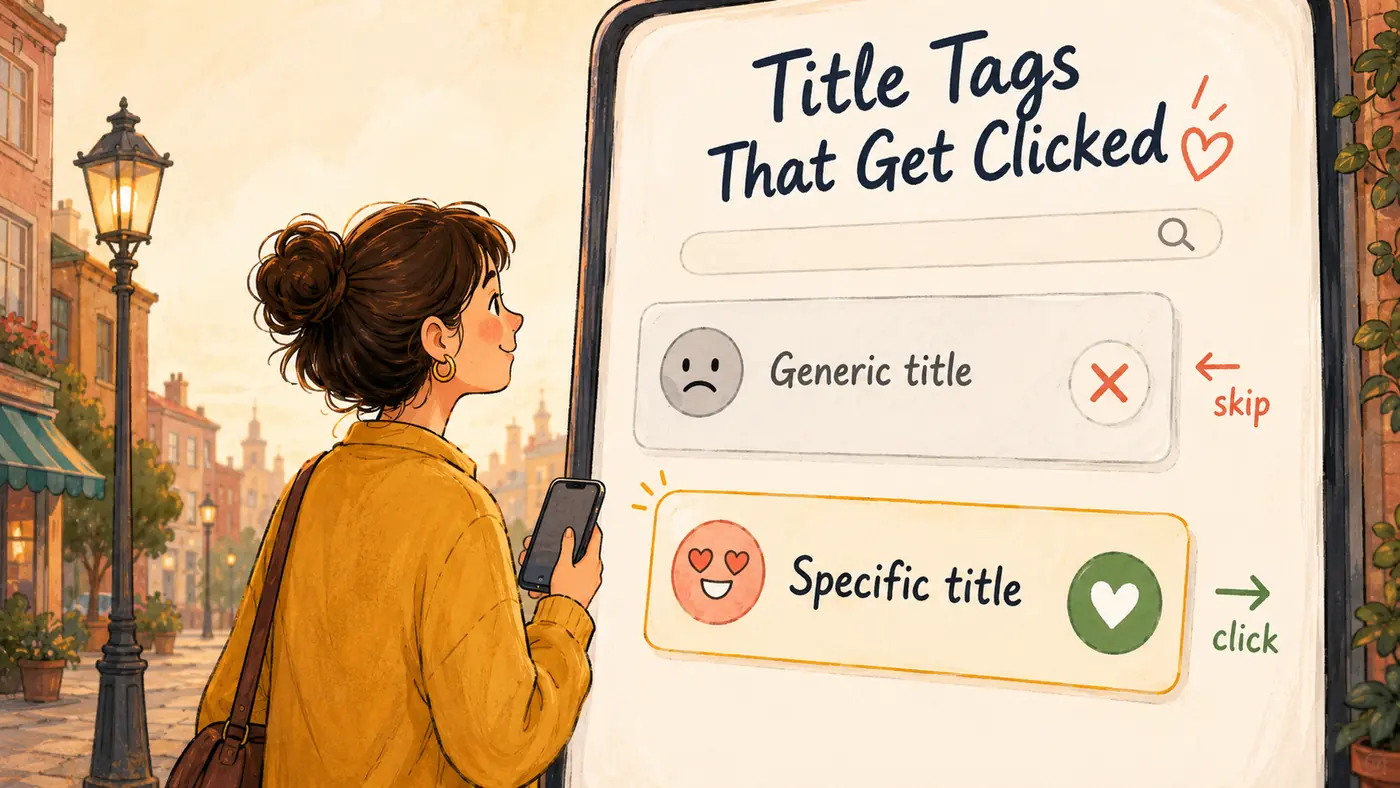
On a dating app, the profiles that get the most right swipes are not necessarily from the most impressive people. They are from the people who understood what the other person was looking for, and communicated it clearly, specifically, and without wasting anyone’s time. Generic gets scrolled past. Specific gets clicked.
Your title tag and meta description are on the same app. Ten results, two seconds, one decision. The content behind your click can be exceptional, but it will not matter if the profile never gets opened. The best first impression is the one that makes clicking feel like the obvious choice. Everything else is just a page nobody visits.